Elements 2026 - Designing for User Success
A strategic redesign of the Adobe Elements experience built around user evolution, contextual relevance, and task efficiency. I established principles for simplifying workflows, improving information architecture, guiding users through the product, personalizing the experience across user levels, and integrating AI in ways that support real user needs.
Role
UX Design Lead
Industry
UX Design
Duration
6 months
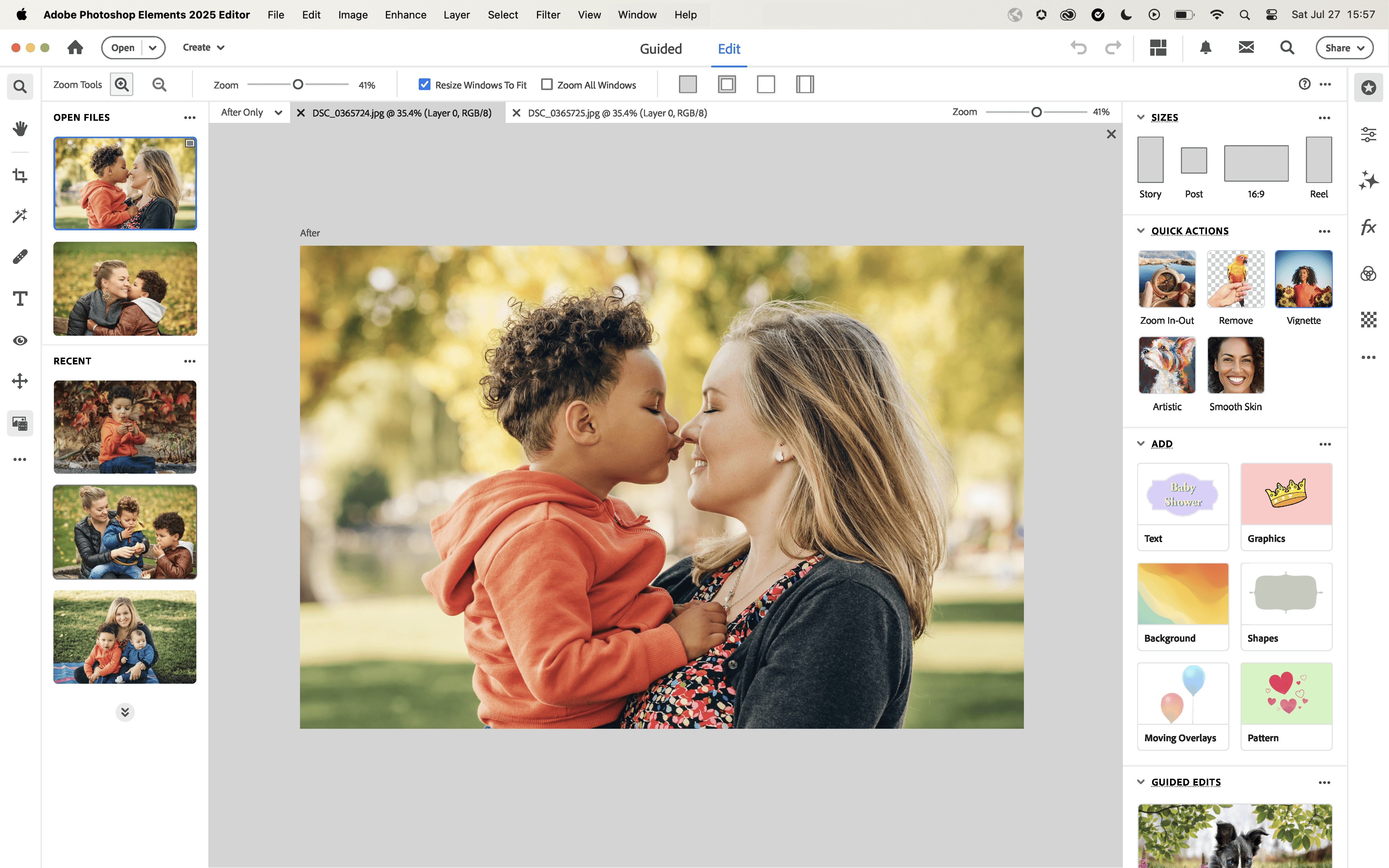
Elements 2026 - Principles for user success
Providing up-to-date interface and interactions.
Frictionless, shorter workflows
Better information architecture. Bring essentials to the surface, finding the right placement of tools and
feature touch-points.
Guided sessions. Each session should be guided in some manner.
Relevancy and contextual intelligence. Enabling users.
Unification of ecosystem.
Seamless integration of AI features focusing on Elements user needs.
Good subscription transition experience.
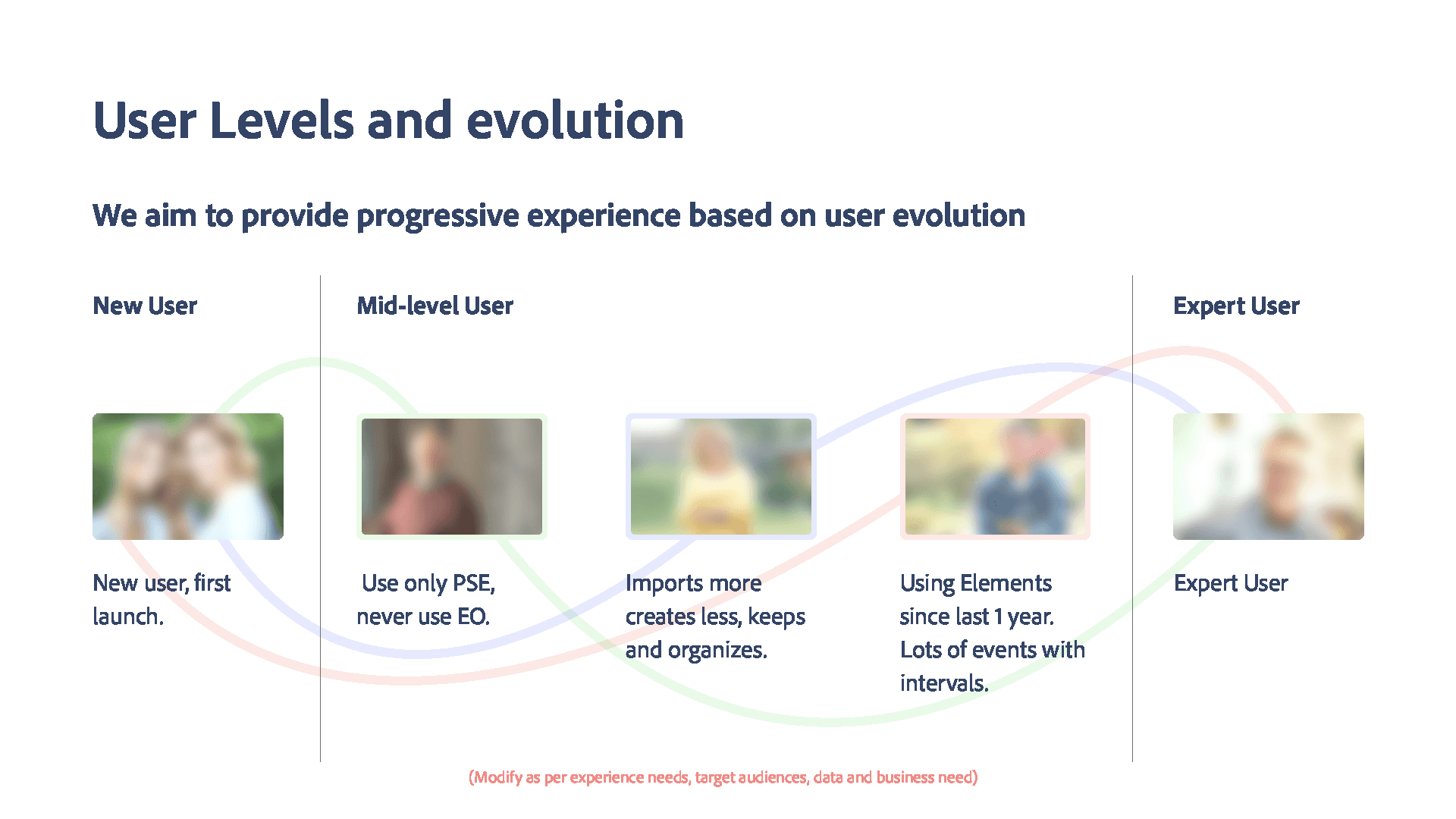
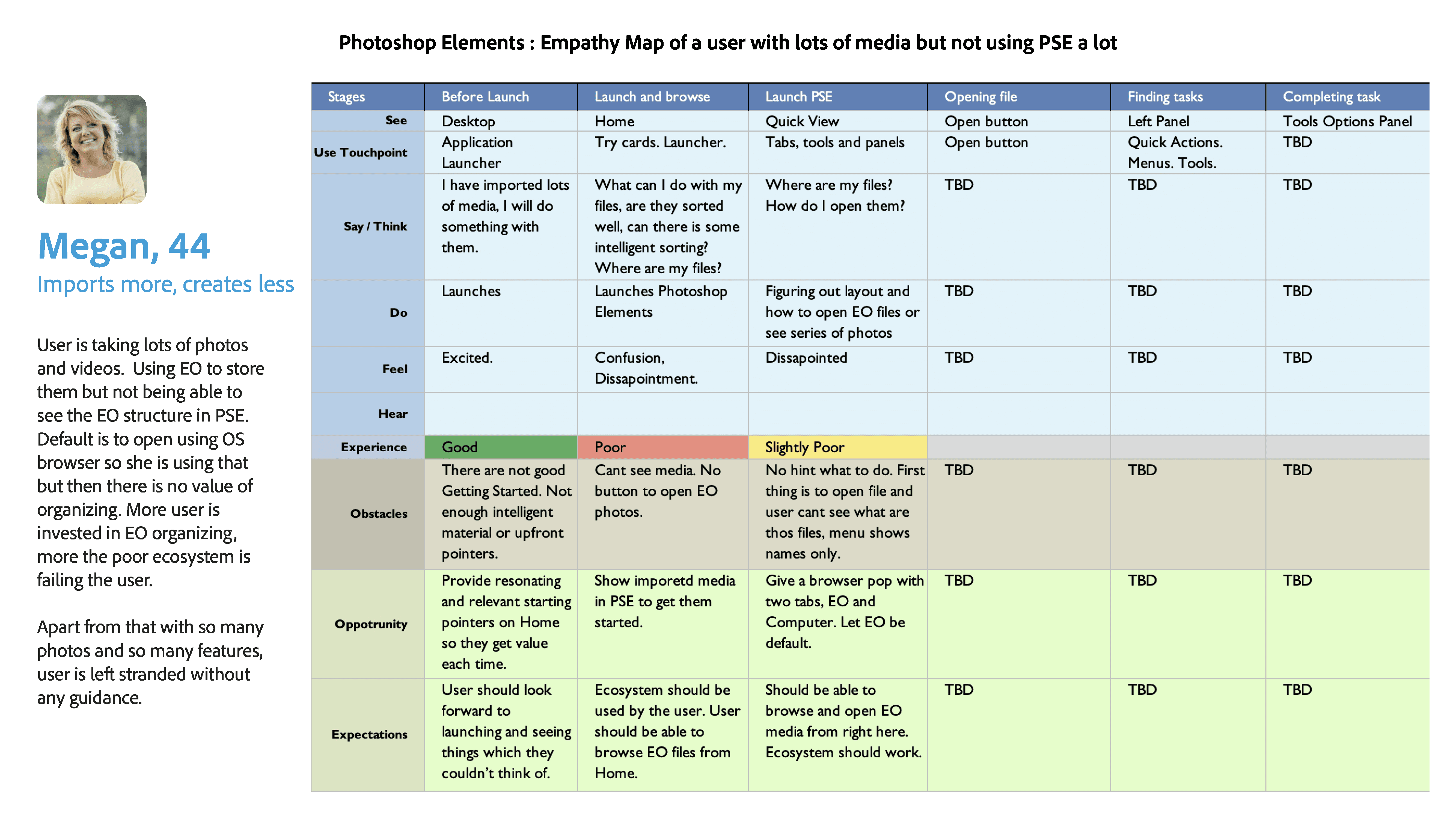
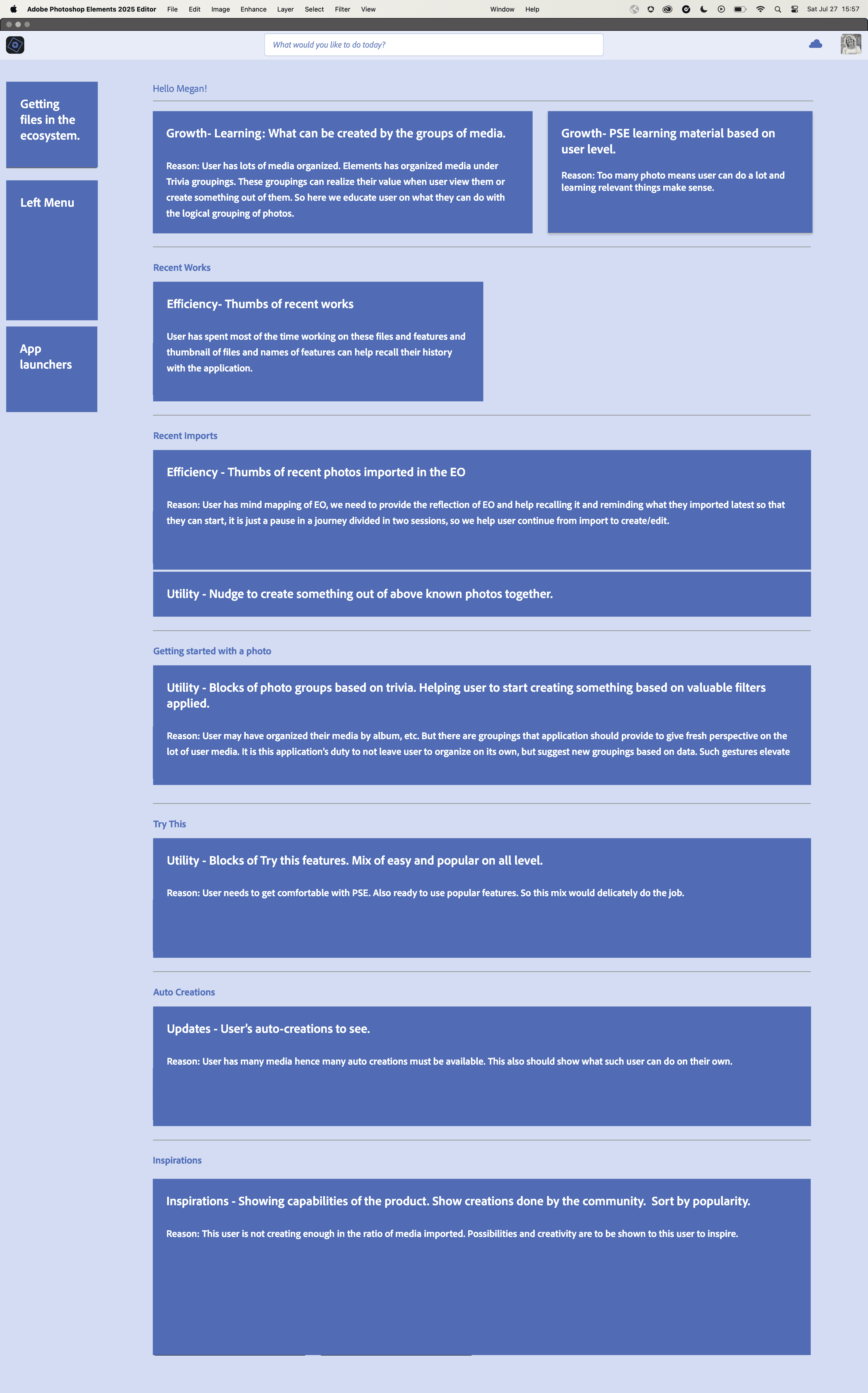
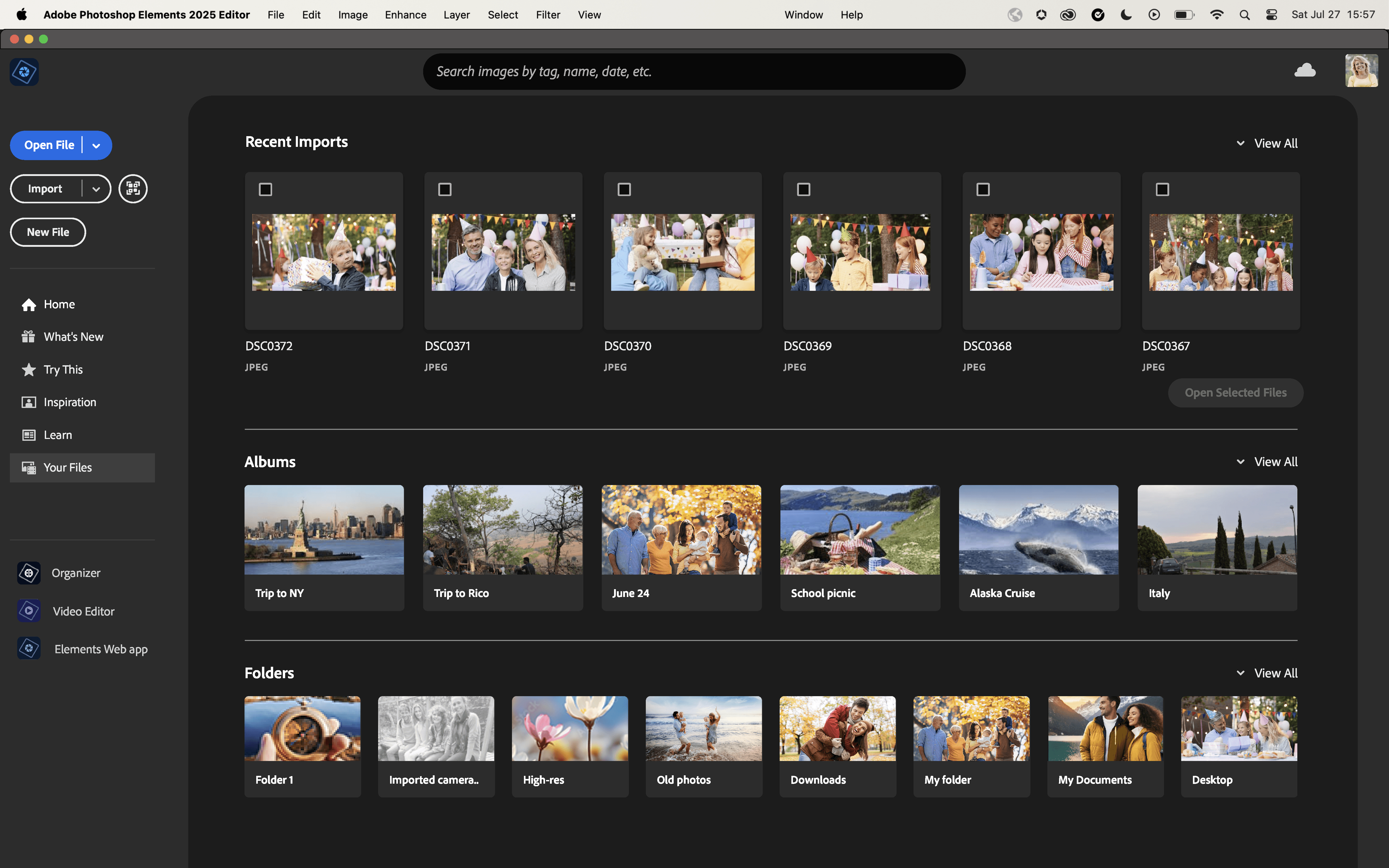
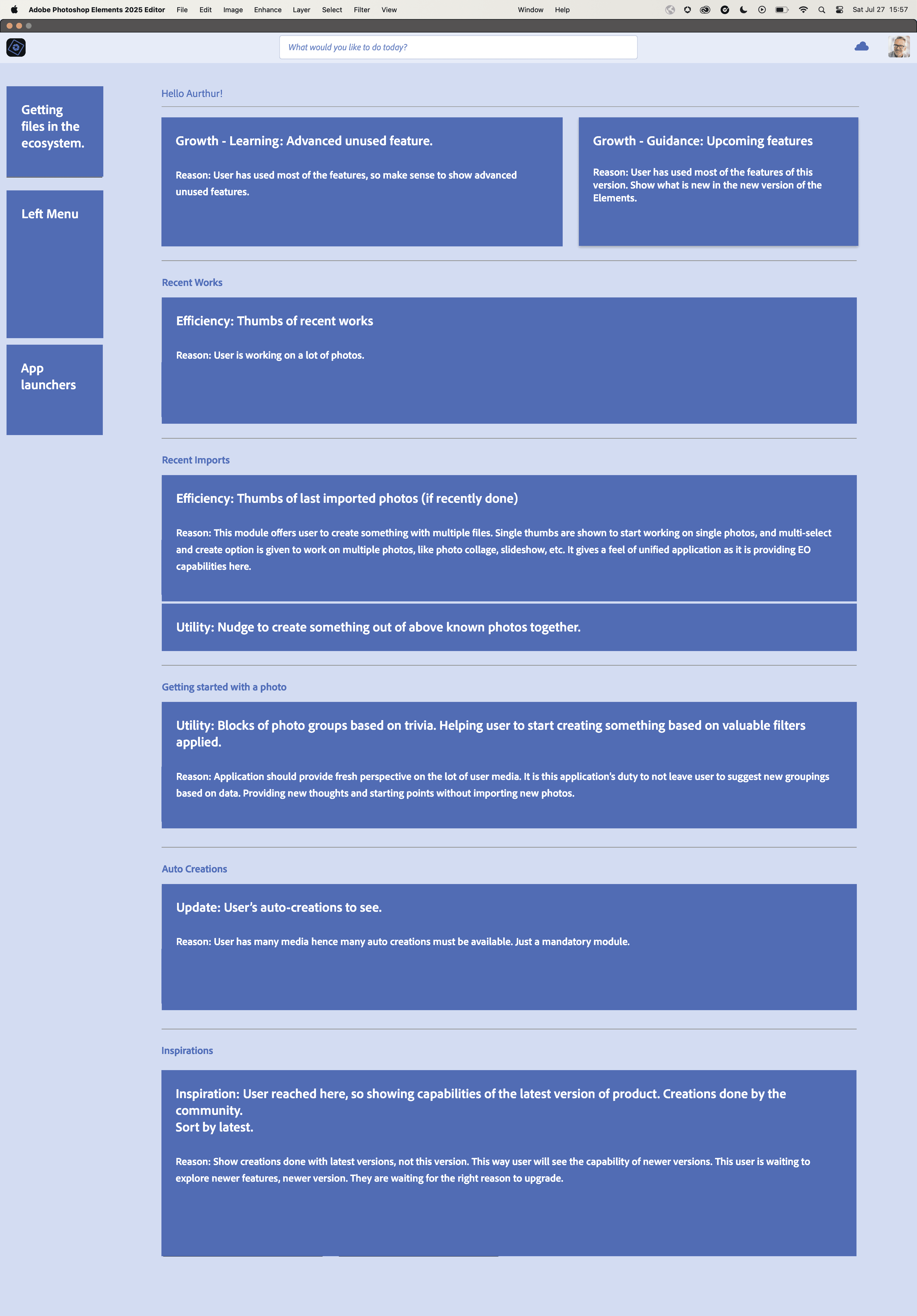
Universal Information Hierarchy Principles - Content Prioritization & Contextual Relevance

Immediate needs and guidance
Dedicated to users’ betterment and utilization of the ecosystem. Balancing users’ growth by guiding them towards areas where they are lacking.
This includes actionable items like what’s new, unused features, and most relevant learning materials.
Task efficiency
This section is tailored to the user’s personal space and the user’s history with the application. In this space, it is not only recent files, as other Adobe
Applications show, but based on this principle, I have added recent imports and recently used features too. At a glance, the user can see everything the user is familiar with: files and features.
Personalized feature nudges
Next, we introduce relevant features to the user as ‘Try this’, for engagement and discovery.
Creation Updates
Displays auto-creations to keep users informed, as the user has scrolled down and is looking for something else. We may say keep Inspirations above this,
but this gets more points on the personalization front, and the Inspiration block can be a long one, so it is above the ‘Inspiration’ block.
Inspirations
Even if the user has scrolled to here by ignoring all above, I think the user can still use inspirations by looking at what other users are doing with the applications.









Other projects

Converta: Building an AI-native Commerce Platform from Concept to Production
Founded and built an AI-native SaaS platform that helps ecommerce businesses become AI-ready through conversational commerce, catalog intelligence, and AI-powered shopping experiences.

Redesigning Adobe Elements for a Startegic Market Fit
This modernization initiative was defined by a series of significant constraints that had caused multiple previous efforts to stall. My first task was to design a strategy that could succeed where others had failed, within this challenging environment.
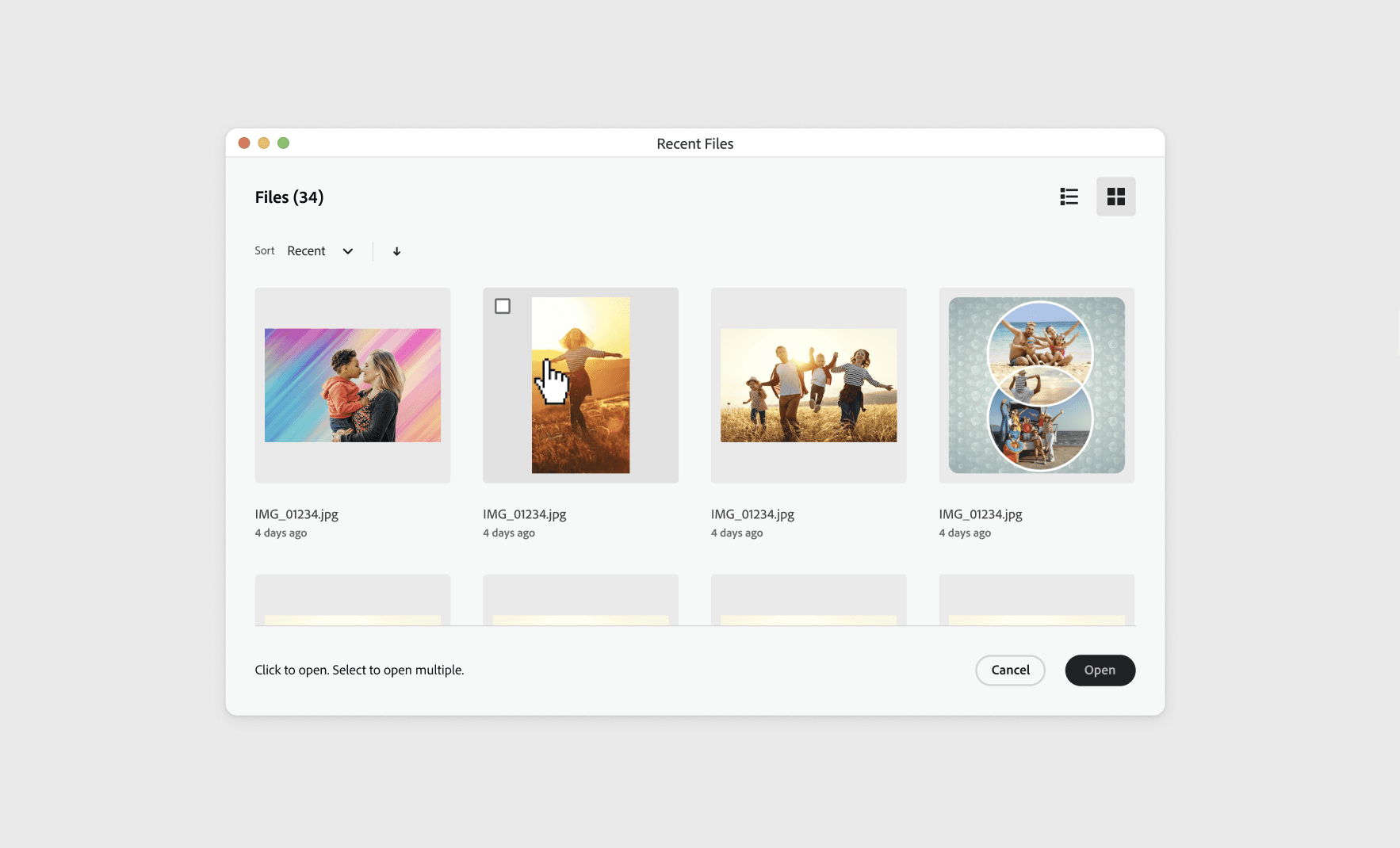
A Principle-Driven Redesign of the First Mile Experience
Transformed a key friction point into a frictionless gateway to creativity | Established a scalable, future-proof foundation | Rebuilt user confidence from the first click.

Providing Complex AI Tech to Consumer Users
The UX Strategy for Making Adobe’s Generative AI Feel Invisible, Familiar, and Trustworthy for “Memory Keeper” Users.

Petizens: An Exploration in 0-to-1 Product Creation
A self-initiated project demonstrating end-to-end product creation—from product strategy and branding to UX/UI design, coding, and testing.